
Home Office Design Ideas That Boost Productivity and Comfort
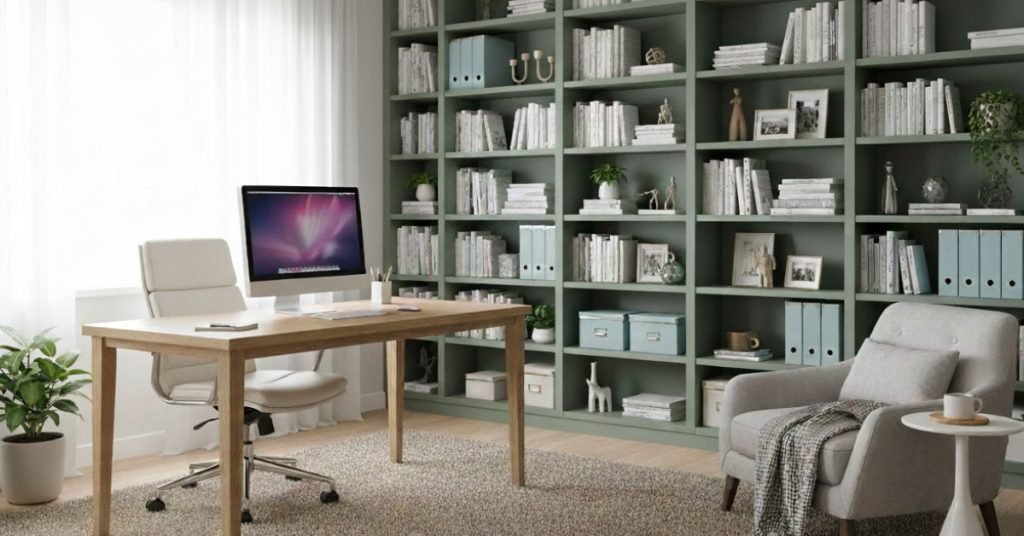
Designing a workspace at home that actually works for you, not just setting a desk and chair. It’s about building a space that reflects your habits, workflow, and comfort. When you embark on a creative journey of home office design, you’re setting the stage for improved focus, fewer distractions, and a better equilibrium between productivity and relaxation. Whether you’re a remote professional, creative freelancer, or dedicated hobbyist, the right setup makes all the difference. Why thoughtful home office design matters A well-thought-through home office will help support workflow, limit fatigue, and increase mood. By customizing the setting to your preferences with supportive ergonomic furniture, lights, sound, and organization, you’re creating a place that welcomes you to sit down and get to work. Conversely, if your workspace is comfortable and intuitive, the mental block to being productive is lowered. For instance, good lighting and minimal distractions can significantly influence focus. Similarly, readability and layout matter deeply, in blog and design terms, a space that is easy to scan and intuitive improves the experience. Smart Layout Strategies for Your Workspace Designing an effective home office design layout means thinking about how you move, where you store things, and how you receive light and fresh air. Here are several layout principles to guide you: Zone your space into a working area, equipment area (printer, filing, etc.), and a small relaxation or thinking nook. Position your desk near a window if possible, to benefit from natural light and a change of view. Keep your movement flow clear, avoid placing obstacles between you and the door, and make sure the path from the seat to supplies is effortless. Consider ergonomics, your screen height, chair support, and keyboard placement all add up to long-term comfort and fewer physical distractions. By paying attention to this layout, you’re making the transition between thought and action smoother and physical discomfort less likely to distract you. Personalizing the Design to Fit You While the layout is the skeletal structure of your home office design, the details bring the space alive and make it uniquely yours. Personal touches enhance comfort and promote your best work. Choose a color palette that invigorates but doesn’t overwhelm. Soft neutrals with one accent hue often strike a good balance. Add one or two meaningful pieces of decor, perhaps a plant, a piece of art, or a cherished object, to create emotional grounding. Invest in quality supporting elements: an ergonomic chair, adjustable desk, or flexible lighting setup to adapt to morning and late-day work. Layer lighting: ambient overhead light, task light for the desk, and perhaps a softer floor lamp to wind down visually at the end of the day. Such personalization not only supports comfort but also reinforces the identity of your workspace; this is your home office, not just a spare corner. Productivity-boosting Design Elements Creating a productive home office is more than just visuals; it is removing friction, being able to focus, and allowing you to be creative. Consider including the following design features: Declutter & Organize: A clear surface and organized supplies will minimize visual noise (excess) as well as cognitive distraction. Store everything you do not use every day out of reach, behind closed doors. Acoustic control: If your home environment is noisy or you have lots of video calls, consider rugs, curtains, or sound-absorbing panels to reduce echo and background distraction. Technology convenience: Ensure your device cables, power outlets, and network access are all fault-free and well-managed. Nothing kills momentum like scrambling for cables or rewiring mid-task. Greenery and air quality: Even a small plant can improve mood and visual comfort. Good ventilation and occasional fresh-air breaks help keep you sharp. Dedicated thinking space: If possible, include a small lounge chair or standing desk option for creative or planning sessions. Changing posture helps refresh your mind. By integrating these elements into your design, the space doesn’t just look nice; it functions as a tool for your success. When to Consider Professional Help At some point, you may want expert input to help you out. If you’re challenged by an odd room shape, want to think about specialized technology, or are looking for a luxury feel, professional advice can help you take the result to a different level. Use a skilled service, such as those offering home office design services, to fine-tune lighting, acoustics, storage systems, or bespoke furniture lines. If you’re located in a region with specialized expertise, for example, a firm helping clients to design home office in NJ, you’ll find local professionals who understand both aesthetic trends and practical constraints (such as building codes or climate local to New Jersey). Bringing It All Together When you begin renovating or designing your home office, think about unity: space + your personal touch + enhancements for functionality = a solid workspace. Start with the skeletal space layout, then add personal touches, and finally bring in productivity enhancements. You will tweak it over time: maybe the lighting changes, you add a board for visual thinking, or you adjust the chair as you adjust your habits. The outcome? A space you enjoy entering, that supports you mentally and physically, and that subtly supports your ability to focus and be comfortable. FAQs How much space is enough for a home office? Aim for ~6–8 m² (65–85 ft²). Desk depth 70–75 cm; chair clearance 90–100 cm behind you. Leave a clear path to the door and storage. Where should I place the desk for focus and comfort? Set it perpendicular to a window to cut glare. Keep the wall behind your monitor; sit ~50–70 cm from the screen with the top bezel at eye level. What lighting setup works best for long hours? Use layered light: ambient overhead (200–300 lux) + task lamp on the opposite side of your writing hand (400–600 lux) at 4000–5000K. Avoid bright backlights behind the monitor and add a small front fill for video calls. How do I keep the home office interior design tidy over time? Choose